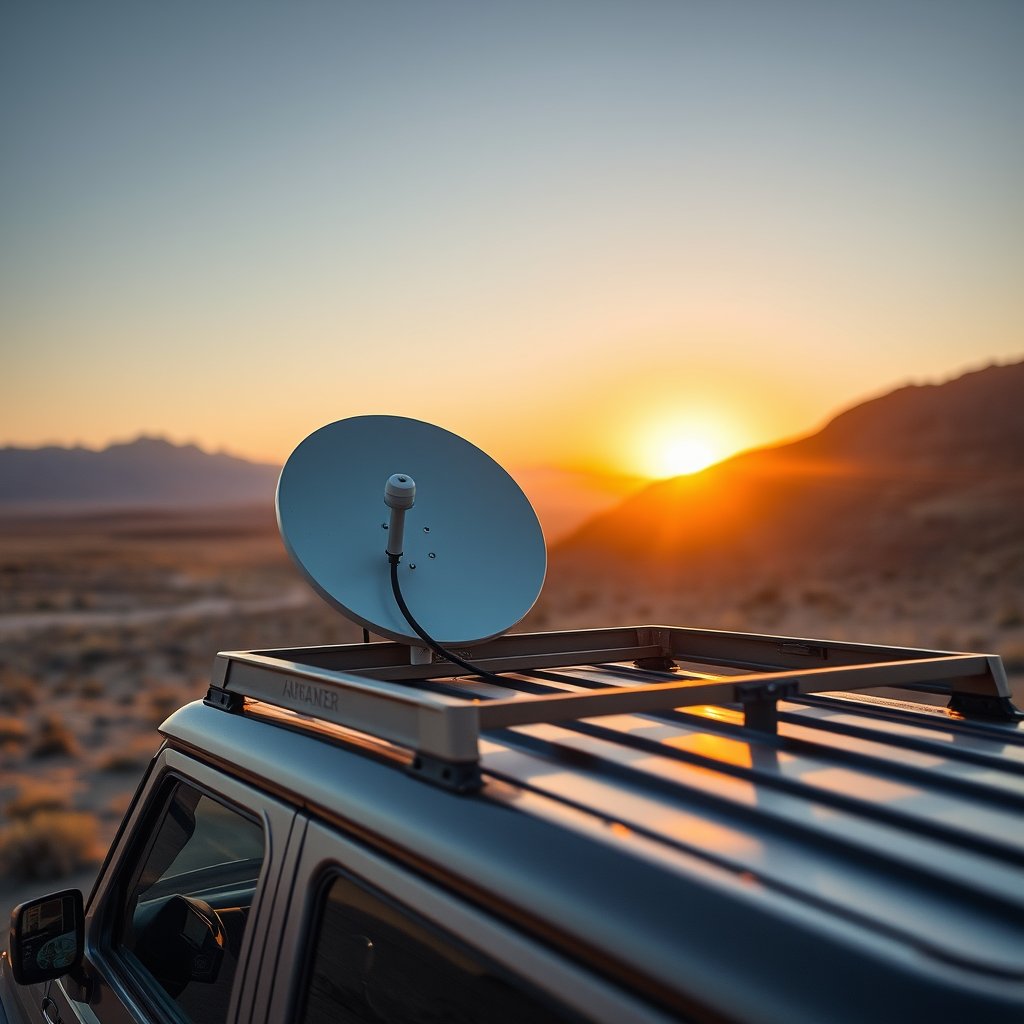
Cell coverage ends about twenty minutes past the trailhead, and for years that meant overlanders either accepted true isolation or spent thousands on a satellite messenger that could send little more than a text. Starlink Mini quietly changed the math. It is a pizza-box-sized dish that pulls real broadband out of the sky, sips enough power to run off a modest battery, and fits in a rear cargo pocket. For a site that already covers trail comms like CB radio installation, satellite internet is the obvious next chapter.
This guide is the practical version. Not marketing, not a spec-sheet recital, but how to actually power the thing off your rig, where to mount it, what it costs to run, and whether it is worth the money versus a cell booster. Prices and plan details below are reported figures that SpaceX has changed repeatedly, so treat them as a starting point and confirm current numbers before you buy.
What the Starlink Mini actually is
The Mini is the smallest dish in the Starlink lineup. The antenna, Wi-Fi router, and mounting hardware live in one flat unit roughly the size of a laptop, and it ships with a DC power cable rather than the bulky AC brick the standard dishes use. That single design choice is why it took off with the overland crowd: it was built from the start to run on 12V-ish DC, which is exactly what a vehicle provides.
Hardware pricing has fallen fast and often. It launched in mid-2024 near $499 to $599, dropped to around $249 in early 2026, and has been reported as low as $199 for new customers activating a fresh account. Because SpaceX keeps adjusting both the sticker and the promos, budget somewhere in the $200 to $600 range and check the current offer rather than trusting any single number, including these.
Why it matters for overlanding: you get usable download speeds for weather, maps, route re-planning, and staying reachable in country where no cell tower will ever reach. That is a different capability than a satellite messenger, and a different one than a cell booster, which only amplifies a signal that has to exist in the first place.
Power draw: the number that decides your whole build
Everything about running a Mini off-grid comes down to watts. The good news is that it is genuinely efficient for what it does. Reported steady-state draw has landed around 16 to 20 watts after firmware optimization through 2026, with idle a touch lower and a brief startup spike toward 40 to 60 watts while it acquires satellites and de-ices if needed. Older figures and the official spec sometimes cite a wider 20 to 40 watt range, so plan for the higher end to stay safe. At roughly 12 volts, steady draw works out to somewhere near 1.3 to 1.7 amps.
Put that in real terms. A 500Wh portable power station, running the Mini at a conservative 20W average, will keep you online for the better part of a day, roughly 20 hours on paper before real-world losses. Overlanding America's field review of the Mini reached a similar conclusion, calling it a device you can realistically keep running under the back seat without babysitting the battery. Independent field data is the right source to trust here, since manufacturer numbers assume ideal conditions your campsite will not provide.
Cold weather, weak sky view, and constant heavy streaming all push consumption up, so budget for more capacity than the arithmetic suggests. The math that works in your driveway rarely survives a windy ridge at 9,000 feet.
Three ways to power it off your rig
Option one: a portable power station. This is the plug-and-play route. A portable power station in the 500Wh class gives you an AC outlet, USB, and often a 12V output, and it recharges from your alternator on drive days or from a folding solar panel at camp. It is the least elegant and the most foolproof. If you want to be online tonight without touching a wire, buy this and stop reading the wiring sections. As an Amazon Associate we earn from qualifying purchases.
Option two: direct DC from your house battery. The cleanest long-term setup wires the Mini into a dedicated house battery or dual-battery system rather than the AC brick. Because the dish natively wants DC, a proper DC to DC power cable lets you skip the inefficiency of inverting to AC and rectifying back down. You lose less power to conversion and you can leave it running while parked without draining your starter battery, assuming your dual-battery setup is sized correctly.
Option three: solar top-up for base camp. For multi-day stays, a folding panel and a charge controller keep the house battery topped so the Mini never runs the bank down. A 100W panel comfortably offsets a 20W continuous load during daylight with margin to spare, which is why the "100W panel plus a 50 to 100Ah battery" recipe shows up in nearly every off-grid Starlink build.
Whatever path you choose, protect the circuit with an appropriately rated fuse and use wire gauge sized for the run length. This is the same discipline you would apply wiring an onboard air compressor or auxiliary lighting, and it is not optional.
Mounting the dish
The Mini needs a clear view of the sky, which sounds obvious until you park under a canopy of pines and wonder why your speeds tanked. You have a few mounting philosophies.
Roof rack mount. The most common permanent-ish approach clamps a roof rack mount accessory to your existing rack and gives the dish the highest, clearest vantage on the vehicle. It is out of the way, out of sight of thieves at a glance, and always sky-facing. The tradeoff is added height and wind noise, and you cannot easily reposition it to dodge a tree.
Spare-tire or ditch mount. A vehicle mount for the Starlink Mini that clamps to a spare-tire carrier or a bed rail keeps the dish low and removable. You give up some sky view but gain flexibility and easy stowing when you break camp.
Magnetic or portable placement. Many overlanders skip permanent mounting entirely and just set the Mini on the roof, a rock, or a small tripod when they stop. The Mini's flat shape makes this trivial, and a magnetic base adds security on a steel panel. For weekend trips this is often all you need, and it means nothing is drilled or clamped to your rig year-round.
There is no single right answer. Weekend warriors lean portable; full-timers wire it permanently. Match the mount to how often you actually run the dish.
Plans and cost of service
Hardware is the one-time hit. Service is the recurring one, and it is where the real budgeting happens. The relevant plans for overlanders fall under the Roam tier, which is built for mobile and off-grid use rather than a fixed home address. Reported pricing has run around $50 per month for a capped regional data bucket up to roughly $165 per month for unlimited, with in-motion use supported. These numbers have shifted more than once, and plan names and caps change by region, so verify current terms with Starlink directly. SpaceX has a documented habit of restructuring these tiers, and any figure printed here today may be stale by the time you subscribe.
The practical move for seasonal overlanders is pausing service in the off months. Roam plans have historically allowed month-to-month activation, so you pay for July and August and shut it off through winter. Over a year that flexibility matters more than the headline monthly rate. It is the same seasonal logic that shapes a lot of overland gear decisions, right down to whether you run a roof-top tent or a ground tent for the trips you actually take.
Starlink Mini versus a cell booster
Here is the honest comparison, because they are not the same tool. A cell booster amplifies an existing cellular signal. If there is one bar of LTE at the ridgeline, a good booster and external antenna can turn it into something usable. But if there is zero signal, a booster amplifies zero. It cannot create coverage where none exists.
Starlink Mini does not care whether a cell tower is within a hundred miles. It talks to satellites. In genuinely remote country, deep canyons, high desert, backcountry with no towers for a full day's drive, the booster is dead weight and the Mini is the only thing that works.
The flip side: a booster has no monthly fee beyond your existing phone plan, costs less up front, and does not draw meaningful power. For overlanders who mostly travel the fringes of coverage rather than true dead zones, a booster may be the smarter, cheaper answer. Many serious rigs carry both, using the booster where cell exists and the Mini where it does not. If you want the amplification side of that equation, external cell signal booster antennas pair naturally with a satellite setup.
Is it worth it for overlanding?
For a lot of people, yes, with a clear-eyed view of the tradeoffs. You are buying the ability to be genuinely unreachable by choice, not by accident. That means weather you can check before committing to a pass, maps you can re-download when the planned route washes out, and a way to call for help that does not depend on a tower that was never built.
Against that you weigh a few hundred dollars of hardware, a monthly service bill, and a modest but real power budget you have to design your electrical system around. If you travel where cell coverage merely gets thin, a booster and a satellite messenger may cover you for far less. If you travel where coverage simply ends, the Mini is close to the only thing that turns the backcountry into a place you can still work, navigate, and reach out from.
Get the power system right first, because a dish you cannot keep running is just expensive cargo. Size the battery generously, wire it cleanly, mount it where it sees sky, and the Mini becomes one of the least fussy pieces of gear on the rig. Pair it with a solid dual-battery and comms foundation and you have covered both the near-field trail chatter and the long-range lifeline in one build.
Prices, plan names, and power figures cited here are reported values that SpaceX has changed repeatedly and that vary by region. Confirm current specs and pricing with Starlink before purchasing.
As an Amazon Associate we earn from qualifying purchases. This article contains affiliate links; if you buy through them we may earn a small commission at no additional cost to you.